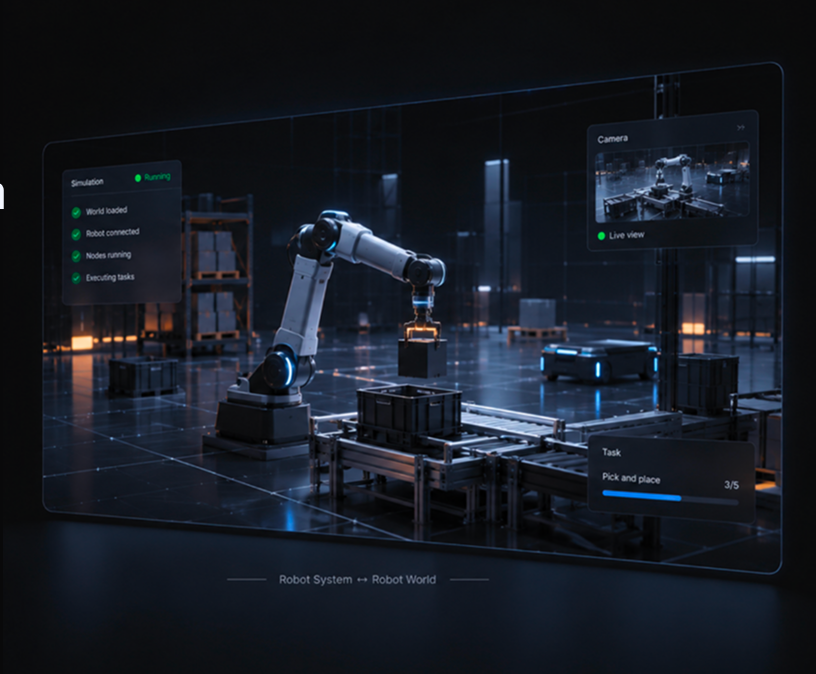
Where robots becomesystems.
Define the robot, connect controllers, gateways, applications, and reusablemodules, then run them together as one Robot System.
Robot system
Everything that makes arobot work, in one system.
Sodero defines a Robot System as the complete structure used to configure, control, extend, and operate a robot. It can stay simple or grow to include multiple robots, devices, compounds, and applications, depending on what the system needs.

Gateway
Connect simulations or hardware to the system.

Controller
Define the robot and run its control logic.

Compound
Combine multiple robots, devices, and functions into one system.

Application
Add task-specific behavior when the system needs it.
Stellar Station
Build and run your robot system.
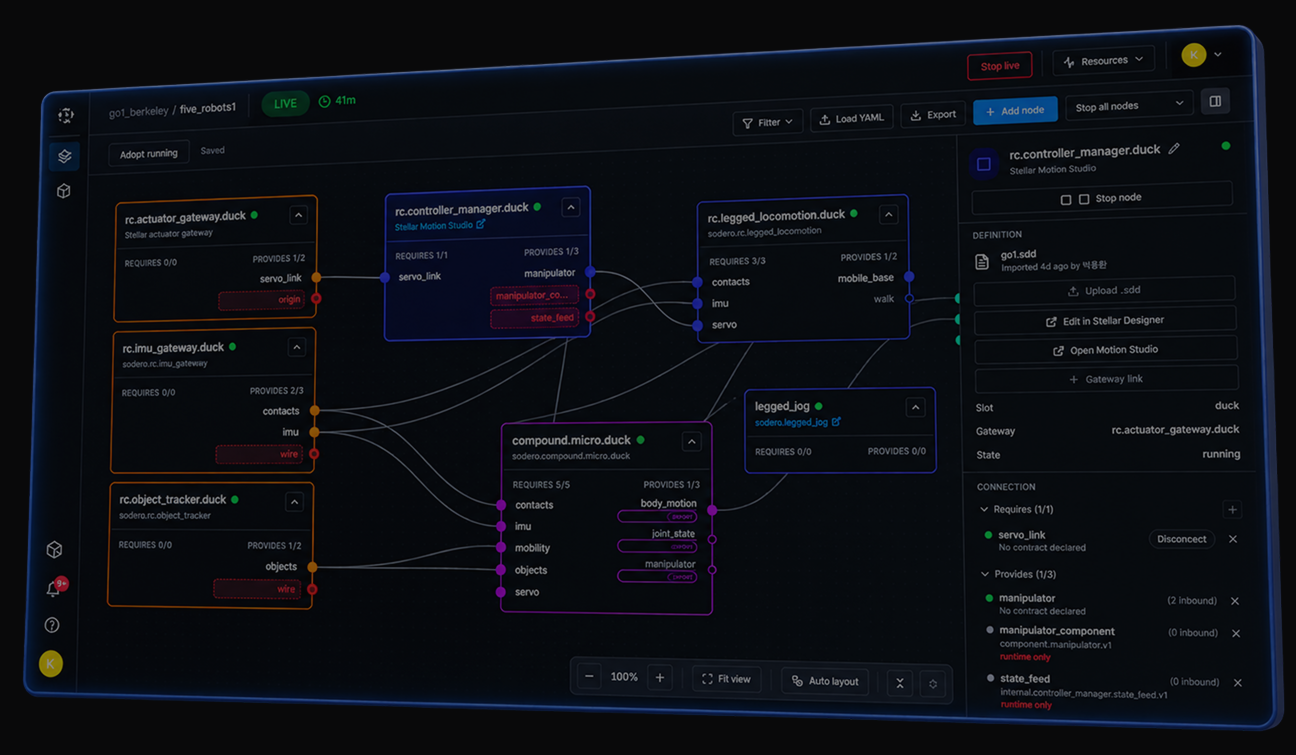
Assemble nodes, connect components, configure definitions, and run the entire system from one workspace.
Build visually
Build your system visually.Add Gateway, Controller, Compound, and Application nodes, then connect them into one system.
Run as one system
Run everything from one place.Start or stop individual nodes or operate the entire Robot System at once.
See what’s happening
Monitor the system in real time.Check node status, connections, and system resources while the robot is running.
Stellar modules
Add real capabilities toyour robot system.
Sodero Modules provide ready-made implementations for Robot System nodes, so you can extend your system without building everything from scratch.
Stellar Camera Gateway Designer
AuthoringCreate and configure Gateway definitions, then export a GW file for use in your Robot System.
Stellar Actuator Gateway Designer
AuthoringCreate and configure Gateway definitions, then export a GW file for use in your Robot System.
Stellar Designer
AuthoringDefine your robot’s structure and configuration, then export an SDD file used by Controller modules.
Stellar Motion
RuntimeA motion-control module for robot manipulators, with an interface for jogging, teaching, poses, and tools setting.
Stellar Strider
RuntimeA locomotion-control module for mobile robots, with an interface for operating robot movement.
Stellar Localizer
RuntimeA localization module that provides position information for other Controller modules.
Stellar Voyager
RuntimeA navigation module that adds navigation capabilities to mobile robot systems.
Extensible modules
Build and manage yourown modules.
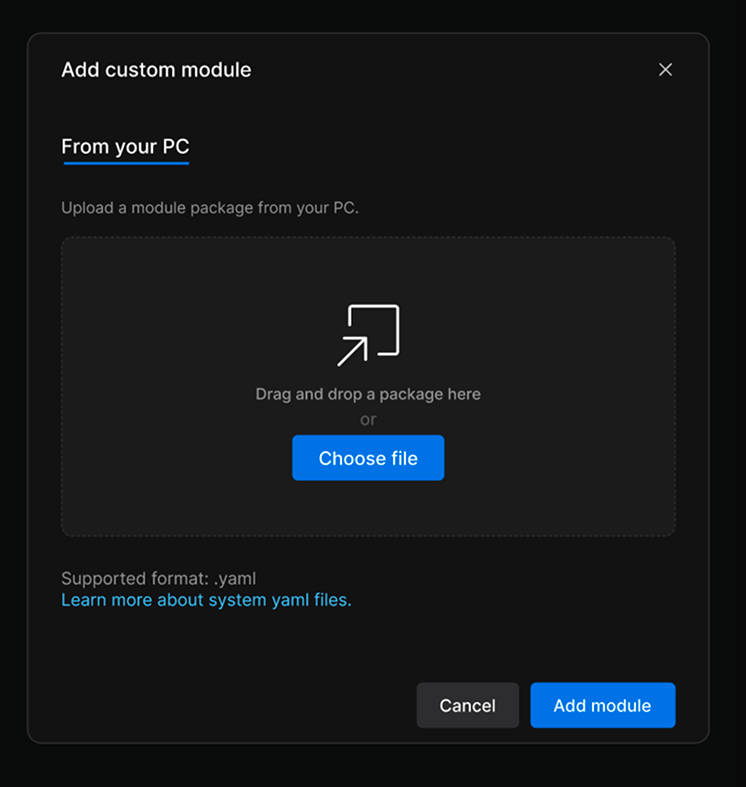
Create custom modules for your own hardware and software, package them for reuse, and manage them across your Robot Systems.
How Stellar works
Build your Robot Systemyour way.
Define, add, and connect nodes in the order your system requires. Start simple, then extend it with additional robots, controllers, modules, compounds, and applications as your system grows.
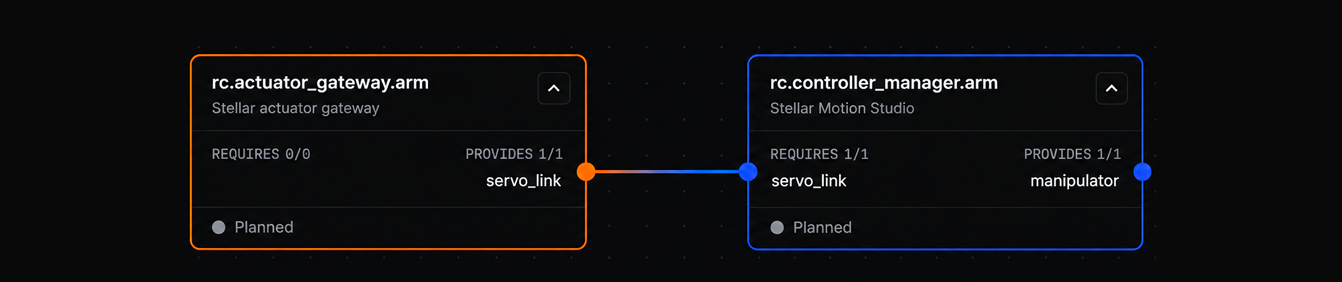
No fixed build order.Add, define, and connect each part whenever your system needs it.
Edit & Live
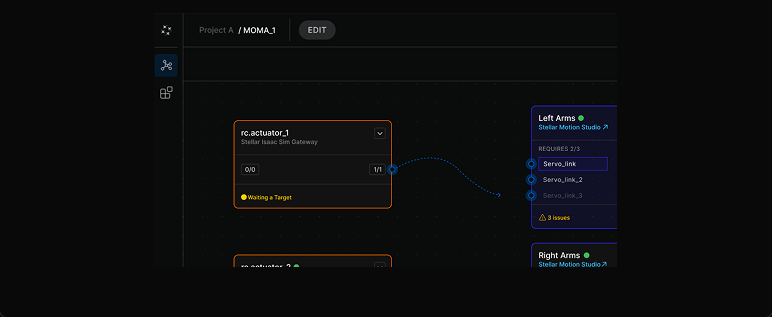
Build in Edit. Run in Live.
Configure first, then switch to runtime when you’re ready.
Live mode
Start the runtime environment to use runtime tools, run nodes, and test the system in action.
Edit mode
Configure nodes, connections, and definitions without starting containers or consuming runtime compute.
Robot world
See your Robot Systemcome to life.
Connect Stellar to a world in Cosmic, run your nodes, and watch your robot operate in a virtual environment.